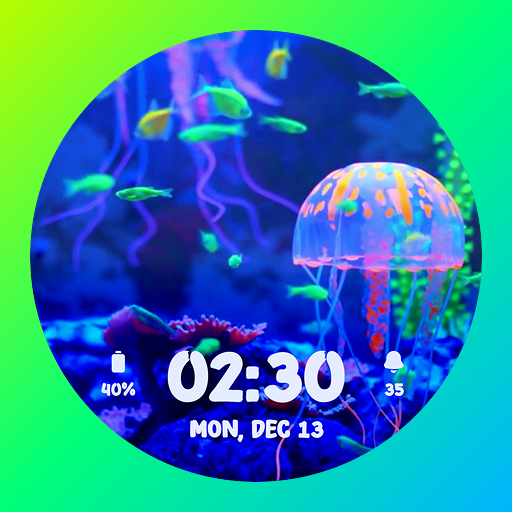
Aquarium Live WatchFaces ULTRA
0
·
207
Bring your Wear OS watch to life with animated Aquarium Live Watchfaces!
Enjoy stunning underwater scenes with the Aquarium Live Watchfaces ULTRA app. It offers you beautiful aquarium fish-designed analog and digital watch face dials. Each dial features live fish and aquarium animations. This is perfect for nature lovers and those who want a splash of tranquility on their wrists.
Key Features:
🌊 Live Animated Aquarium Watch Faces
- Watch lively fish swim across your watch screen in real time.
🕰 Analog & Digital Dial Options
- Offers elegant analog and modern digital dial styles.
- It includes 5 analog & 5 digital dials.
- You can select the desired one and apply it.
⚫ Always-On Display (AOD) Support
- It offers you a sleek AOD layout for continuous timekeeping and staying time-informed.
🧭 Complications
- It gives you two complication options.
- You can select the desired complication from the list and set it.
- Tap for quick access to the complications.
- Below is the complications list:
Step Count
Day and date
Day of the week
Battery Percentage
World Clock
Weather Info
Sunrise & Sunset
Next Calendar Event
and More
⌚ Supports Wear OS 4 & above
- Fully compatible with the latest devices using Google's Watch Face Format.
- Compatible Devices List:
Samsung Galaxy Watch 4 / 4 Classic
Samsung Galaxy Watch 5 / 5 Pro
Samsung Galaxy Watch 6 / 6 Classic
Samsung Galaxy Watch 7 / 7 Ultra
Google Pixel Watch 3
Fossil Gen 6 Wellness Edition
Mobvoi TicWatch Pro 5 & newer models
How to Customize & Set Aquarium Animated Watch Face Dial:
- Tap and hold your watch face.
- Select “Customize” to select the dial and complication.
- In Complication, choose your desired to apply it for quick access.
- As customization is completed, swipe right or press the right top watch button (depending upon the watch).
How to Download Aquarium Live Watchfaces ULTRA:
📱 Via Mobile Companion App:
- Open the app on your phone and tap "Install" on your smartwatch.
- If the prompt doesn’t show, toggle Bluetooth or Wi-Fi off and back on.
⌚ From the Watch Play Store:
- Open the Play Store on your smartwatch.
- Search for "Aquarium Fish Live Watch Faces" and install directly.
Note:
- This is Wear OS Stand Alone app version.
- This app works with watches running Wear OS 4 and above versions and API level 33 and above. - It works on older smartwatches that were updated to Wear OS 5 through a software update.
- However, it supports newer watches that come with a higher version (the latest Wear OS 4 and above).
Expand
Personalization
Download
Preview